What people mean when they search this phrase
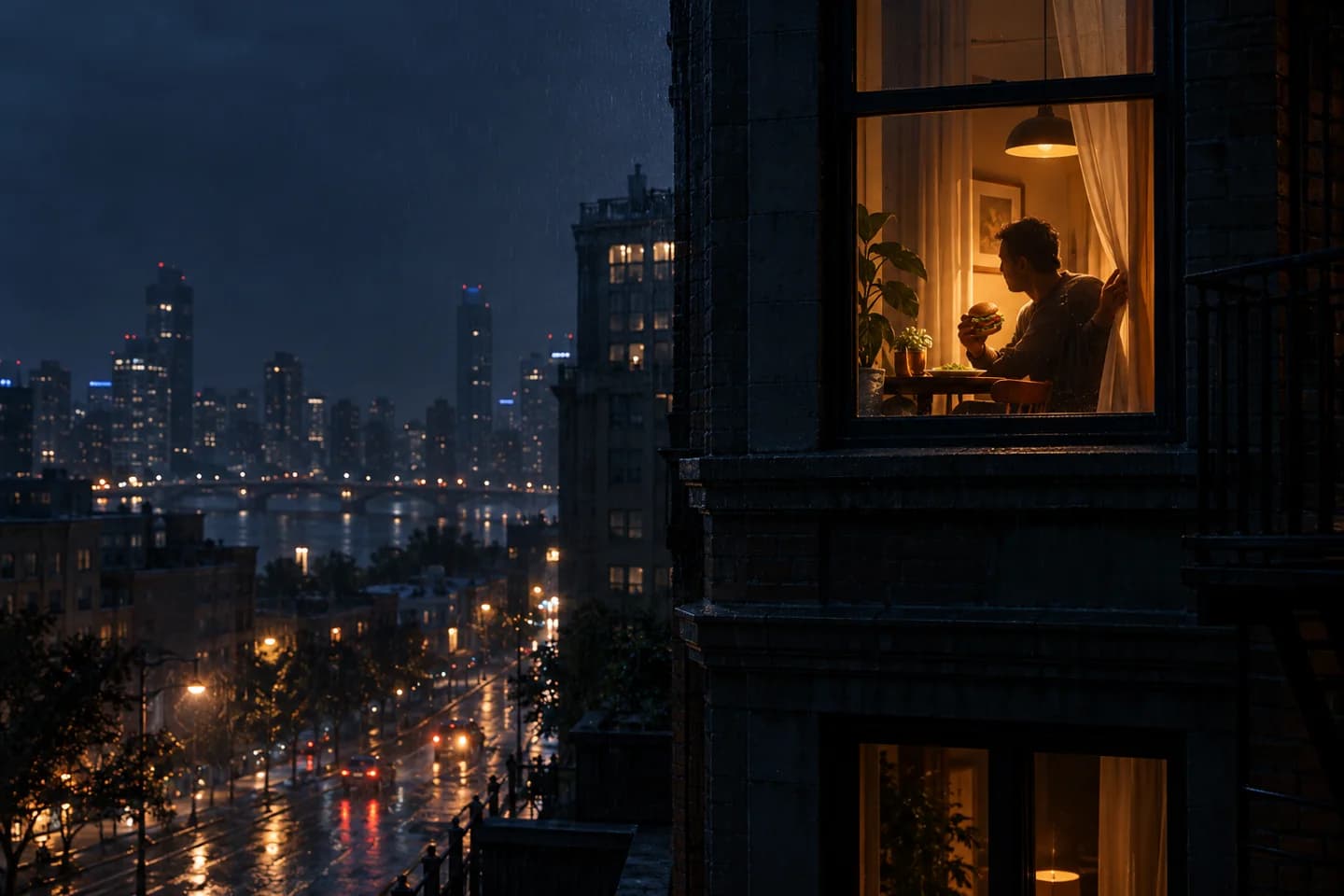
The current search intent is the Window Peeper or Caught at the Window format, not a hamburger brand and not a glass-food recipe. The viewer appears to stand outside at night. The camera moves toward a warm apartment window and discovers someone eating a burger. That person senses the attention, looks back, and shuts the curtain. The attraction comes from the reversal: the camera begins as the observer, then the subject recognizes the observer and takes control of the frame.
A convincing result depends less on decorative language than on a readable sequence of actions. The establishing view must last long enough to explain where the camera is. The push toward the window must feel continuous. The person should finish one small eating action before noticing the lens. The eye contact must be visible but brief. Finally, the curtain needs a clear starting point, an understandable hand path, and enough remaining time to cover the window. When all five beats compete at once, models often produce a fast digital zoom, warped glass, a duplicated hand, or a curtain that grows from nowhere.
We therefore use a fixed fifteen-second plan rather than asking the model to “make it viral.” The plan assigns one job to each time range and keeps the environment stable. The production version is vertical 9:16 at 720p, with a supplied fifteen-second reference audio track and native model audio turned off. Those choices do not guarantee a perfect generation, but they make failures easier to identify and correct. A failed face calls for an identity constraint; a failed ending calls for earlier curtain movement. You can change one variable instead of rewriting everything.
Start with a prompt that assigns time to every action
A production prompt should describe the camera first, the scene second, and the action in chronological order. This matters because models tend to give more weight to the first concrete instructions. “Night apartment” describes a mood, but “distant street-level camera makes one slow push toward one illuminated window” describes a shot. After the camera is fixed, identify the subject as a consenting adult, state the ordinary action, and reserve a timestamp for the reaction and curtain. The final sentence should protect anything that must not drift.
Vertical night scene viewed from across a quiet city street. One apartment window glows with warm amber light. A consenting adult subject sits at a small table, naturally eating an unbranded burger. The camera begins as a distant observer, then makes one slow, stable push toward the window. At 7 seconds the subject notices the camera, pauses, looks directly toward it with a surprised but controlled expression, reaches for the curtain, and closes it fully by 14 seconds. Preserve the subject's identity, facial proportions, hands, clothing, room geometry, window frame, and burger shape. Realistic low-light exposure, subtle rain haze, no cuts, no zoom jump, no extra people, no text or logos.The prompt deliberately says “one” several times. That is not keyword repetition; it is scene accounting. One window, one subject, one camera move, and no cuts reduce the chance that the generator invents a second room or changes angle halfway through. “Unbranded burger” discourages fake packaging and unreadable logos. “Surprised but controlled” avoids an exaggerated horror expression. The final preservation list names the parts that often mutate: identity, hands, clothing, room geometry, frame lines, and food shape.
Treat this as a baseline, not a magic incantation. If the source portrait is a tight headshot, the model must invent both hands, the table, and much of the torso. A waist-up image with visible shoulders and at least one hand gives it more physical evidence. If the room is already present in the photo, make sure the window frame and curtain are clear. If you are generating the entire scene from text, keep the furniture sparse so the closing action remains the visual priority. The complete window burger prompt adds controlled variations and a failure checklist.
Use four beats instead of one overloaded instruction
0–4 seconds: establish distance and privacy
Begin outside with the window occupying a modest part of the vertical frame. The person should already be visible, but not close enough for facial detail to dominate. Ask for a slow, stable push rather than a drone flight, handheld chase, or rapid zoom. The street, facade, and neighboring dark windows establish why the warm rectangle attracts attention. Subtle haze or light rain can reveal depth, but heavy weather may create reflections that obscure the subject.
4–8 seconds: show the ordinary action
The camera continues forward while the subject completes one simple motion: lifting the burger, taking a small bite, or lowering it to the plate. Do not combine biting, chewing, turning, standing, and reaching in this interval. Hands are more stable when the food stays near the center of the torso and the elbows remain close. The scene works because the person initially behaves as if nobody is watching, so avoid eye contact before the reaction cue.
8–11 seconds: reverse who is watching whom
The subject pauses, turns their eyes toward the lens, and holds the recognition for roughly a second. A tiny head turn is more reliable than a full-body spin. Keep the facial expression legible and restrained. If the model makes the person smile, scream, or rush at the window, replace emotional adjectives with visible behavior: “stops chewing, eyes shift to camera, brows lift slightly, body remains seated.” Observable actions usually produce a more repeatable result than abstract mood words.
11–15 seconds: close the visual sentence
The subject reaches for an existing curtain edge and pulls it across the window in one direction. The fabric should cover the person before the final frame and remain closed. Specify the existing edge because a model may otherwise spawn fabric in the middle of the glass. If the hand cannot plausibly reach the curtain, move the chair closer in the source image or describe a side curtain already hanging beside the subject. The ending should be complete, not a freeze on half-covered glass.
Move from explanation to a controlled first generation
The fastest route is not to collect dozens of near-duplicate prompts. Choose one input photo, decide which side the curtain closes from, and generate the baseline before adding style. Review the result in the same order as the shot: exterior continuity, camera motion, face, food, hand, curtain, final frame. Write down the first moment that fails. If the room changes at second five, later curtain problems are downstream symptoms; solve the scene continuity first. If everything works until the last two seconds, keep the earlier prompt intact and start the reach sooner.
Use images only when the depicted person has agreed to the transformation and publication. Do not make a realistic person appear to perform an action they did not consent to, and do not frame a private-looking window scene as real surveillance. The result should be presented as AI-generated entertainment. TikTok’s official guidance says realistic AI-generated or significantly edited content must be labeled, so check the current policy on the platform where you publish. The disclosure is part of the creative workflow, not an afterthought added only when a viewer complains.
Follow the full tutorial
Prepare the image, use the production settings, generate, and review the fifteen-second result.
Browse prompt modules
Understand camera, reaction, curtain, audio, and negative constraints before mixing them.
Copy the detailed prompt
Use a second-by-second version with controlled substitutions and failure repairs.
Disclosure reference: TikTok’s official AI-generated content guidance. Example videos are intentionally absent from this first release until source links, dates, thumbnails, and usage rights can be verified.